
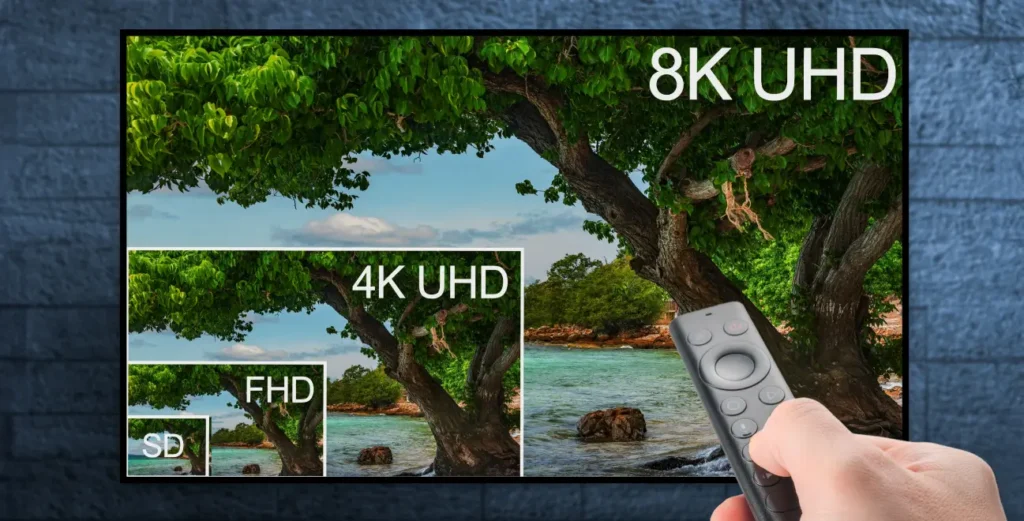
Setting up IPTV correctly is the key to enjoying stable, high‑quality streaming without interruptions. Many users think IPTV is complicated, but in reality, with the right equipment and a reliable provider, the process is simple and accessible for everyone. In this guide, we explain the complete IPTV set‑up process, the required equipment, best practices, and how to get the most out of your IPTV service in 2026.
IPTV Set‑Up: Getting Started
An IPTV set‑up refers to configuring your device, internet connection, and IPTV application to stream television content via the internet instead of traditional cable or satellite systems. IPTV works on multiple devices such as Smart TVs, Android boxes, NVIDIA Shield, smartphones, tablets, and computers.
To start, you need three essential elements:
- A compatible device
- A stable internet connection
- A trusted IPTV service provider
When these three components work together correctly, IPTV delivers smooth streaming, high‑quality visuals, and flexible viewing options.
Choosing the Right IPTV Service Provider
Your IPTV experience depends heavily on the provider you choose. A reliable IPTV provider ensures:
- Stable servers with minimal buffering
- HD, UHD, and 4K quality streams
- Fast channel loading
- Responsive customer support
EPIX IPTV is a strong example of a service designed for stability and quality. It offers a wide range of international channels, VOD content, and compatibility with all popular IPTV apps, making it suitable for both beginners and advanced users.
Before choosing any provider, always check:
- User reviews
- Supported devices
- Trial availability
- Support response time
Required Equipment for IPTV Set‑Up
To build a perfect IPTV set‑up, you’ll need:
- Internet connection: Minimum 10 Mbps for HD, 25 Mbps for 4K
- Device: Smart TV, Android box, Firestick, NVIDIA Shield, smartphone, or PC
- IPTV app: IPTV Smarters, TiviMate, VLC, or similar
For the best performance, an Ethernet (wired) connection is recommended instead of Wi‑Fi.
Setting Up Your IPTV System (Step‑by‑Step)
- Connect your device to the internet
- Install an IPTV player from the official app store or via APK
- Open the app and enter your IPTV subscription details (URL, username, password)
- Adjust video resolution and buffer settings
- Reload channels and VOD content
After setup, your IPTV content will load automatically.
Configuring IPTV for Best Performance
To optimize your IPTV set‑up:
- Set video resolution according to your internet speed
- Enable hardware decoding if available
- Increase buffer size to reduce freezing
- Keep apps and firmware updated
High‑quality services like EPIX IPTV are optimized to work smoothly with popular IPTV players, reducing the need for advanced configuration.
Troubleshooting Common IPTV Issues
Common problems and solutions:
- Buffering → Check internet speed or use Ethernet
- Channels not loading → Refresh playlist or restart app
- App crashes → Update app or reinstall
- Freezing → Change player or adjust buffer settings
If problems persist, a professional IPTV provider with fast support makes a big difference.
Security and Privacy During IPTV Set‑Up
Security is often overlooked but very important. Best practices include:
- Using a VPN to protect your privacy
- Avoiding unknown or free IPTV sources
- Choosing providers that respect data security
A secure IPTV set‑up ensures safe and uninterrupted streaming.
Extra Features You Should Use
Modern IPTV services offer advanced features such as:
- Video On Demand (VOD)
- Catch‑Up TV
- Electronic Program Guide (EPG)
- Multi‑device support
With services like EPIX IPTV, these features come pre‑configured, allowing you to enjoy a premium experience without technical complexity.
Legal Considerations
Always ensure your IPTV provider operates responsibly and respects content distribution rules in your region. Using trusted providers reduces legal and technical risks.
Future Trends in IPTV Technology
In 2026 and beyond, IPTV continues to evolve with:
- More 4K and 8K content
- Cloud‑based IPTV systems
- Smart home integration
- AI‑based content recommendations
These innovations make IPTV more powerful and user‑friendly than ever.
Conclusion
A perfect IPTV set‑up is not about complexity—it’s about choosing the right equipment and a dependable service. With proper configuration and a quality provider like EPIX IPTV, you can enjoy stable, high‑quality entertainment across all your devices.