
Setting up IPTV is simple when you have the right provider, compatible devices, and proper guidance. With EPIX IPTV, you can enjoy thousands of live channels, movies, and series in HD or 4K quality. This guide will walk you through every step to get your IPTV running smoothly.
1. Choose a Reliable IPTV Provider
The first step is selecting a trustworthy IPTV provider like EPIX IPTV, which offers:
- High-quality streams (HD, UHD, 4K)
- Stable servers with 99.9% uptime
- Legal content licensing
- Responsive 24/7 support
For a detailed overview of our service, check our EPIX IPTV Review 2026.

2. Get the Right Devices
IPTV works on many devices. Make sure your device is compatible:
- Smart TVs: Samsung, LG, Sony, Philips, Apple TV
- IPTV Boxes: Android Box, Firestick, MAG Box, Formuler
- Computers & Laptops: Windows, Mac
- Mobile Devices: Android, iOS, Tablets
For setup guides on specific devices, see:
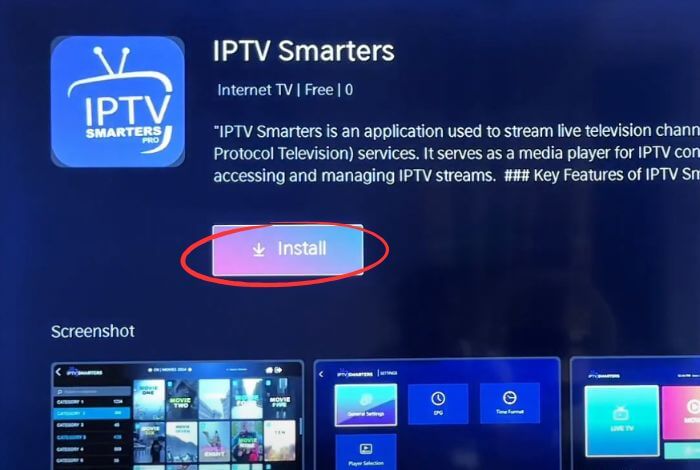
3. Install the IPTV App
For Firestick / Android TV:
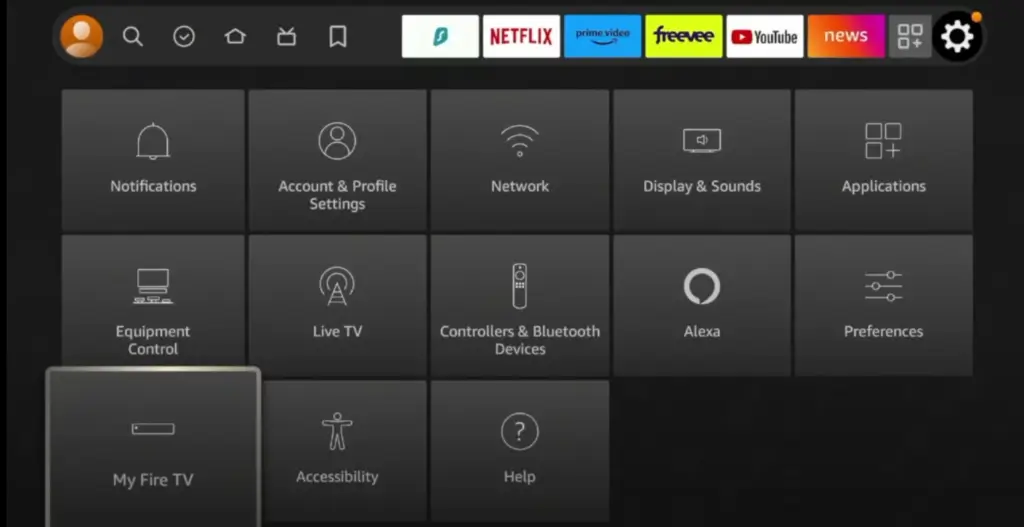
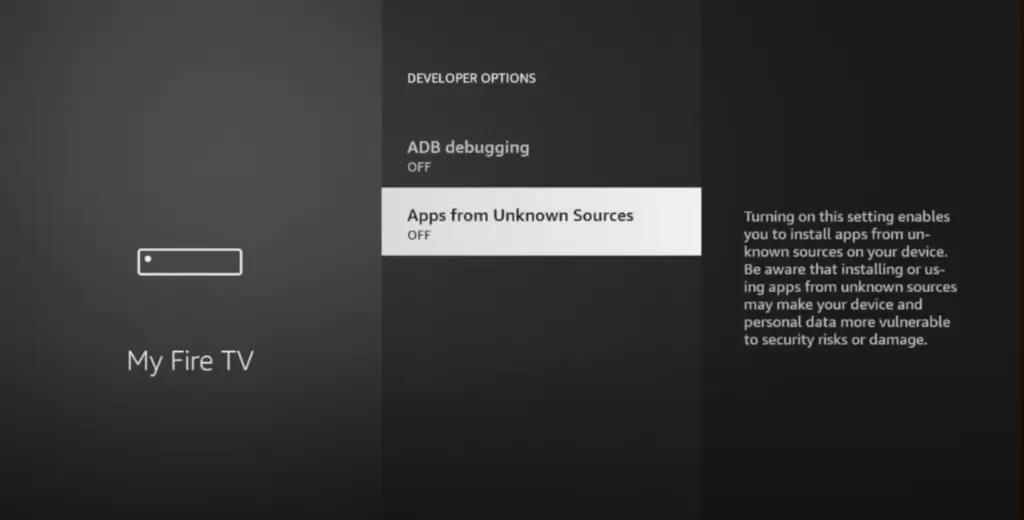
- Go to Settings → My Fire TV → Developer Options
- Enable Apps from Unknown Sources
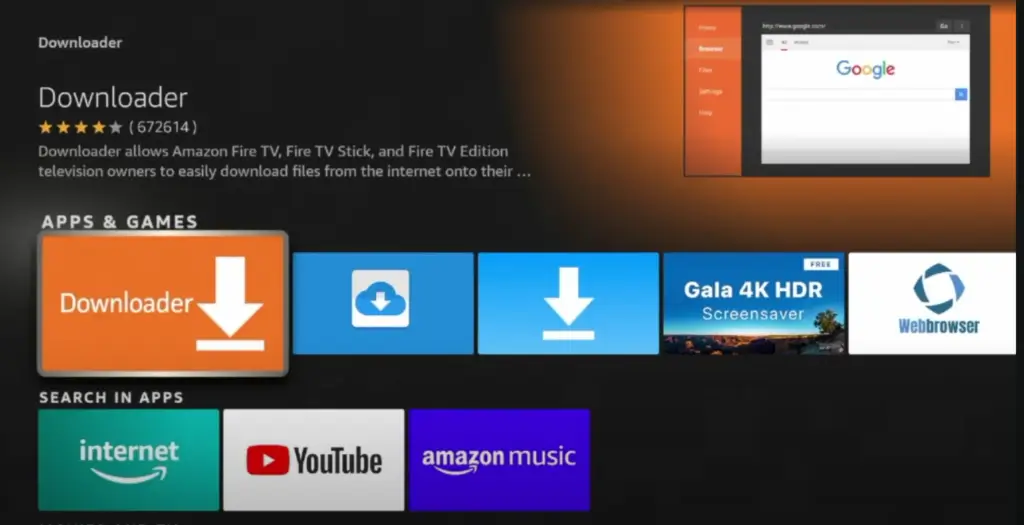
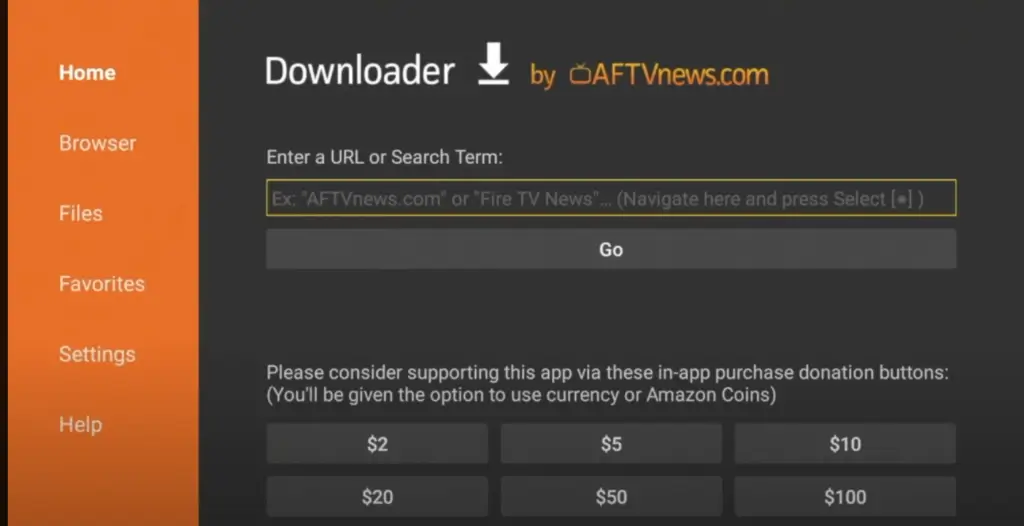
- Install the Downloader app from the App Store
- Open Downloader and enter your IPTV app URL (example: IPTV Smarters Pro):
https://www.iptvsmarters.com/smarters.apk - Install the app and follow on-screen instructions
For PC or Smartphone:
- Download your IPTV app from the official website (e.g., IPTV Smarters Pro)
- Install and open the app
4. Enter Your IPTV Subscription Details
Once installed, launch the app and input your subscription information:
- M3U Playlist URL or Xtream Codes
- Username / Password
- Server / Portal URL
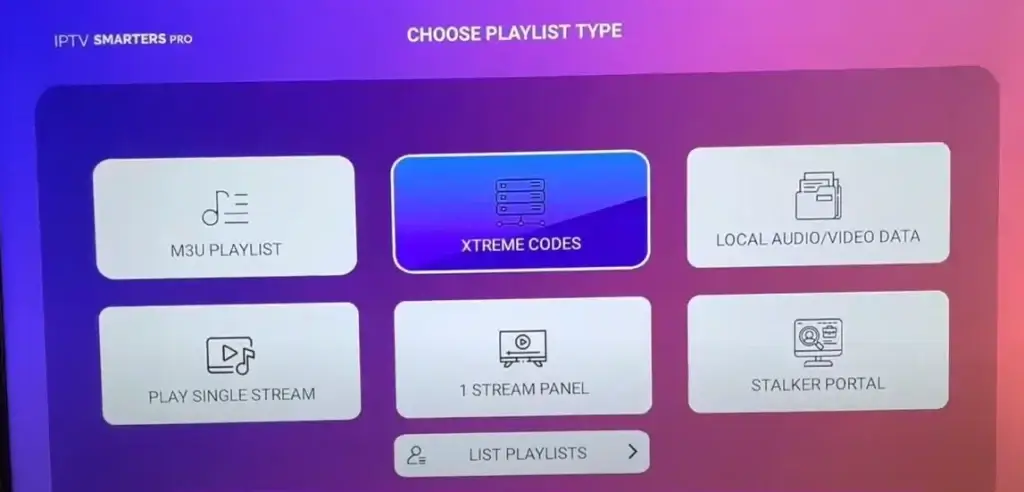
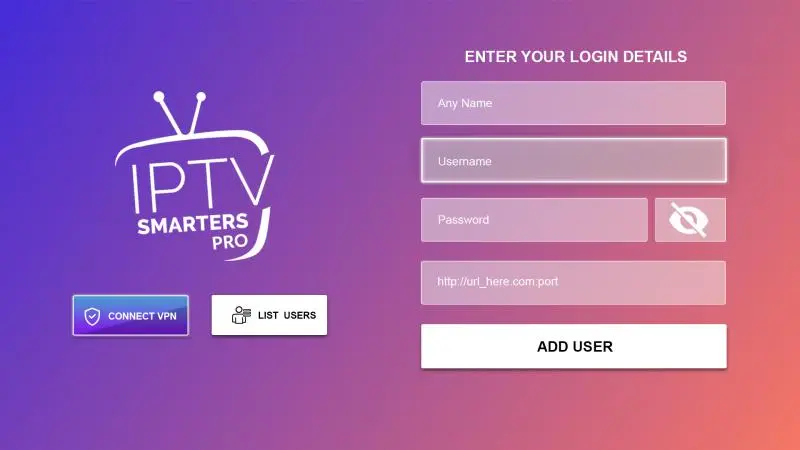
For EPIX IPTV, all credentials are provided instantly after purchase. You can view our subscription plans here: EPIX IPTV Pricing.
5. Optimize Your Network for Smooth Streaming
- Ensure your internet speed is at least 10 Mbps
- Use a wired Ethernet connection for stability
- Prioritize IPTV traffic in your router settings
- Restart devices if you encounter buffering
For more setup tips, see our guide: Understanding the Perfect IPTV Set-Up.
6. Enjoy Your IPTV Service
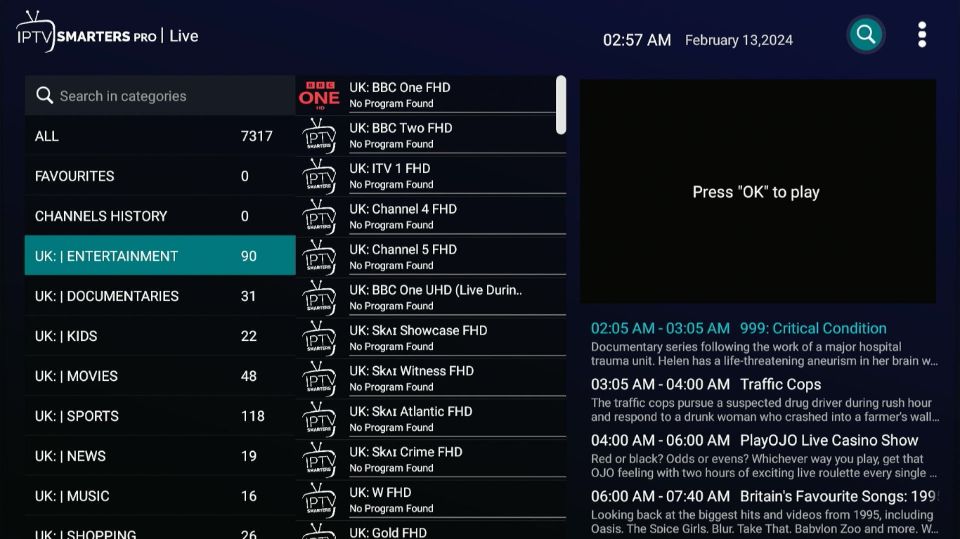
After entering your subscription details, your channels, movies, and series will load. With EPIX IPTV, you get:
- 46,000+ live TV channels
- 180,000+ movies & series (VOD)
- Premium channels & PPV
- 4K Ultra HD quality
- Catch-Up TV & EPG
Check our Time-Shifted TV & Catch-Up Services guide here: Catch-Up TV Features.
Frequently Asked Questions
1. Is IPTV legal?
Always use IPTV services that comply with local regulations. EPIX IPTV offers fully licensed content.
2. How is IPTV different from cable?
IPTV uses the internet to stream content, offering on-demand shows and flexible viewing compared to traditional cable.
3. Are there subscription fees?
Yes, most IPTV services require subscriptions. Compare plans for the best value: EPIX IPTV Pricing.
4. Can I use IPTV while traveling?
Yes, but international access may vary. Using a VPN can help bypass regional restrictions.
5. How can I improve streaming quality?
- Use wired connections for stability
- Ensure sufficient internet speed
- Close unused apps and update device firmware
Conclusion
Setting up IPTV is straightforward with the right provider and proper setup. EPIX IPTV combines high-quality streams, wide device compatibility, and 24/7 support, making it the ideal choice for your IPTV experience in 2026.
🎯 Start your IPTV journey today with EPIX IPTV and enjoy unlimited live TV, movies, and series without interruptions.