
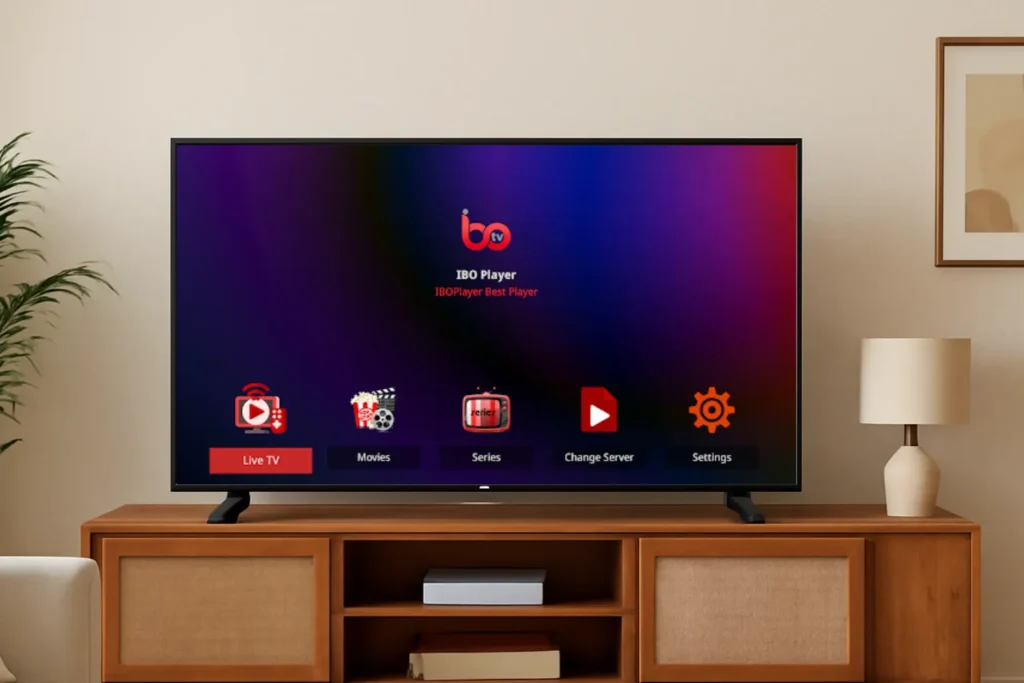
If you’re looking for a smooth and user-friendly IPTV experience on your Smart TV or Android device, IBO Player Pro is one of the best IPTV players available in 2026. It offers a clean interface, fast loading times, and excellent compatibility with most IPTV services.
In this complete guide, you’ll learn how to install and activate IBO Player, add your IPTV subscription, and start streaming live TV, movies, and series using EPIX IPTV.
What Is IBO Player?
IBO Player is a popular IPTV player designed to work with IPTV subscriptions using M3U playlists or Xtream Codes API. It is widely supported on:
- Smart TVs (Samsung & LG)
- Android & Android TV
- Firestick
- Android TV boxes
- Mobile devices
If you’re new to IPTV technology, we recommend reading this guide first:
👉 All About IPTV: Discover Providers, Services, Channels, and More in 2026
✅ Step-by-Step: How to Install IPTV on IBO Player
Step 1: Download IBO Player on Your Device
Smart TV (Samsung / LG)
- Open Samsung Store or LG Content Store
- Search for IBO Player Pro
- Install the app
Android / Android TV
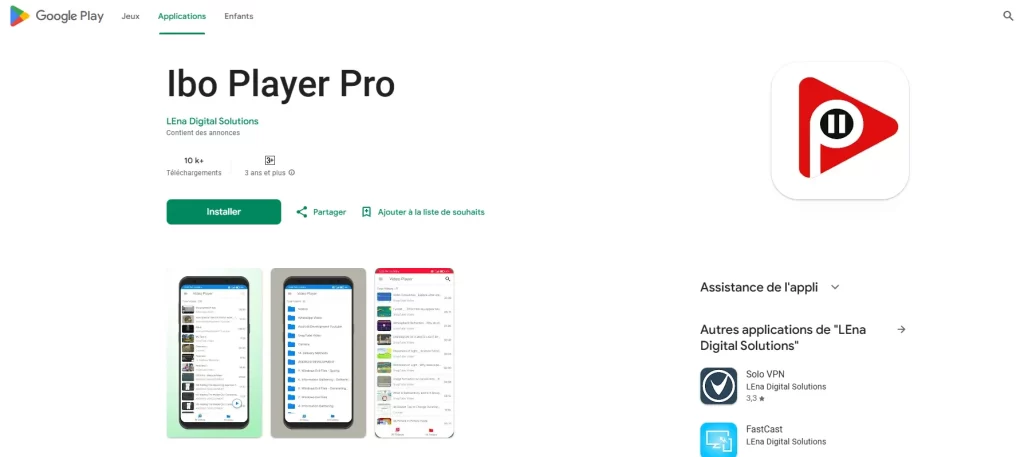
- Open Google Play Store
- Search for IBO Player Pro
- Install the app
iOS (iPhone / iPad)
- Open App Store
- Search for IBO Player Pro
- Install the app
Firestick / Android Box
- Install the Downloader app
- Enter the official IBO Player APK link
- Download and install the app
Step 2: Launch the App and Save Your Credentials
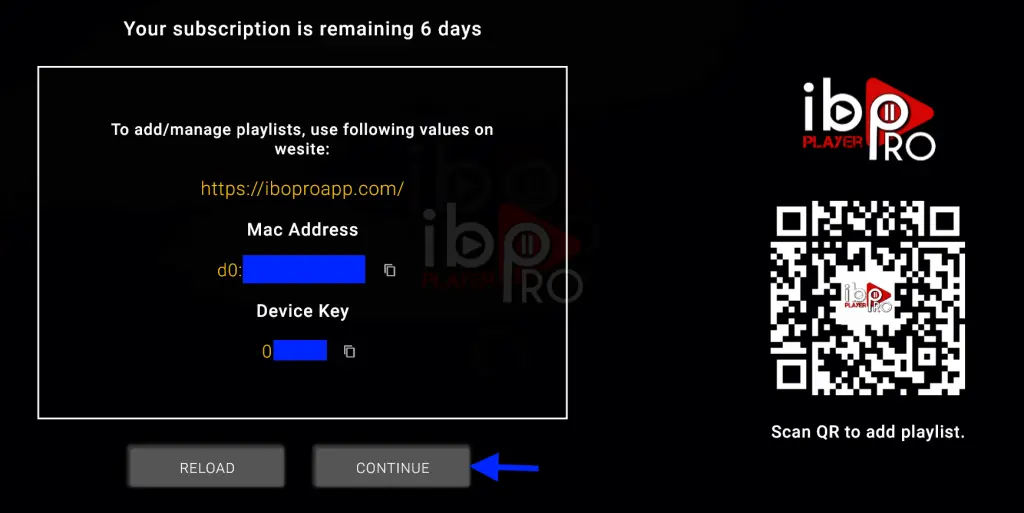
After opening IBO Player Pro, you will see:
- MAC Address
- Device Key
These credentials are required to activate the app.
Step 3: Activate Your IBO Player Device
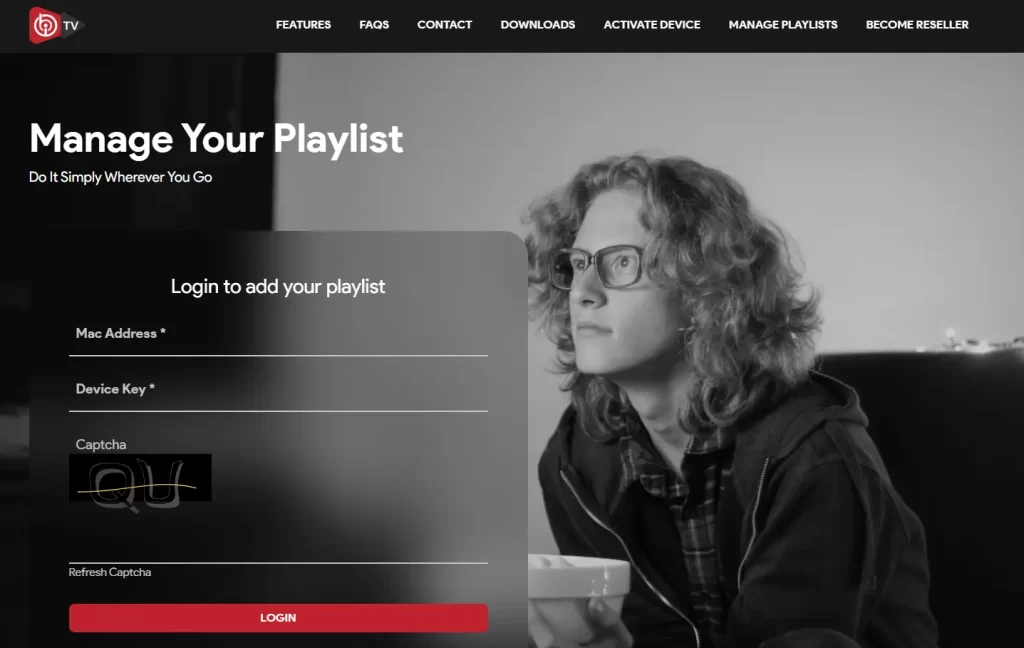
- Open a web browser on your phone or PC
- Visit iboiptv.com or iboplayer.com
- Click Activate Device
- Enter your MAC Address and Device Key
Most users receive a 7-day free trial. After that, you can purchase an annual or lifetime license.
Step 4: Add Your IPTV Playlist
Inside the activation panel, choose one of the following methods:
Option A: M3U URL
- Enter the M3U playlist provided by your IPTV provider
Option B: Xtream Codes API
Enter:
- Server URL
- Username
- Password
Click Save to continue.
Step 5: Restart the App and Start Streaming
- Close the app
- Reopen IBO Player Pro
- Your channels and VOD content will load automatically
You can now enjoy:
- Live TV channels
- Sports events
- Movies & series
- On-demand content
For the best performance, check our complete setup guide:
👉 Understanding the Perfect IPTV Set-Up (2026)
🔥 Why Choose EPIX IPTV for IBO Player?
If you want a reliable IPTV service that works perfectly with IBO Player, EPIX IPTV is a trusted choice. We offer:
- Stable and fast streaming servers
- Flexible subscription plans
- Thousands of international channels
- Sports, movies, and series in HD, UHD & 4K
- Responsive customer support
❓ FAQ – IBO Player & IPTV
What is the best IBO Player for IPTV?
IBO Player Pro is considered one of the best IPTV players due to its stability, fast loading, and wide device compatibility.
How do I set up an IPTV player?
You need:
- A stable IPTV subscription
- A compatible device
- An IPTV app like IBO Player
- A valid M3U or Xtream Codes
What is IBO Player on a Smart TV?
It’s an IPTV application that allows Smart TVs to stream live TV and VOD content using IPTV subscriptions.
Is IBO Player Pro worth it?
Yes. It is highly rated for:
- Smooth performance
- Simple interface
- Fast channel switching
- Broad compatibility
🔗 Related Guides You May Like
- How to Install EPIX IPTV on a MAG Box
https://epix-iptv.co/install-epix-iptv-mag-box/ - How to Install EPIX IPTV on NVIDIA Shield
https://epix-iptv.co/install-epix-iptv-nvidia-shield/ - IPTV Security & Privacy in 2026
https://epix-iptv.co/iptv-security-privacy-2026/